Open Source  ·  MIT License  ·  100% Free  ·  Offline

Open .procreate Files
on Your Windows PC

The missing tool for digital artists. Get native File Explorer thumbnails, inspect layers, and export your iPad artwork to PNG, JPEG, TIFF — no subscription, no cloud, works offline.

100%
Free & Open Source
~25 MB
Standalone .exe
Win 10/11
Full Support
0
Dependencies to Install
The Problem

Why You Need ProcreateViewer

Millions of artists use Procreate on iPad. But the moment you transfer those .procreate project files to a Windows PC, they become mysterious blank icons. You can't tell which painting is which without sending them back to an iPad.

Without ProcreateViewer

Your artwork files are invisible. Windows has no idea how to read them.

  • Generic blank file icons in Explorer
  • Cannot preview artwork contents
  • Must transfer back to iPad to view
  • No metadata — canvas size, layers are hidden
  • Impossible to organize a large portfolio
  • No batch export or conversion available

With ProcreateViewer Installed

Full visibility. Your artwork looks just as at home as your JPEGs and PNGs.

  • Rich thumbnail previews in File Explorer
  • Double-click to open and inspect
  • View directly on PC — no iPad required
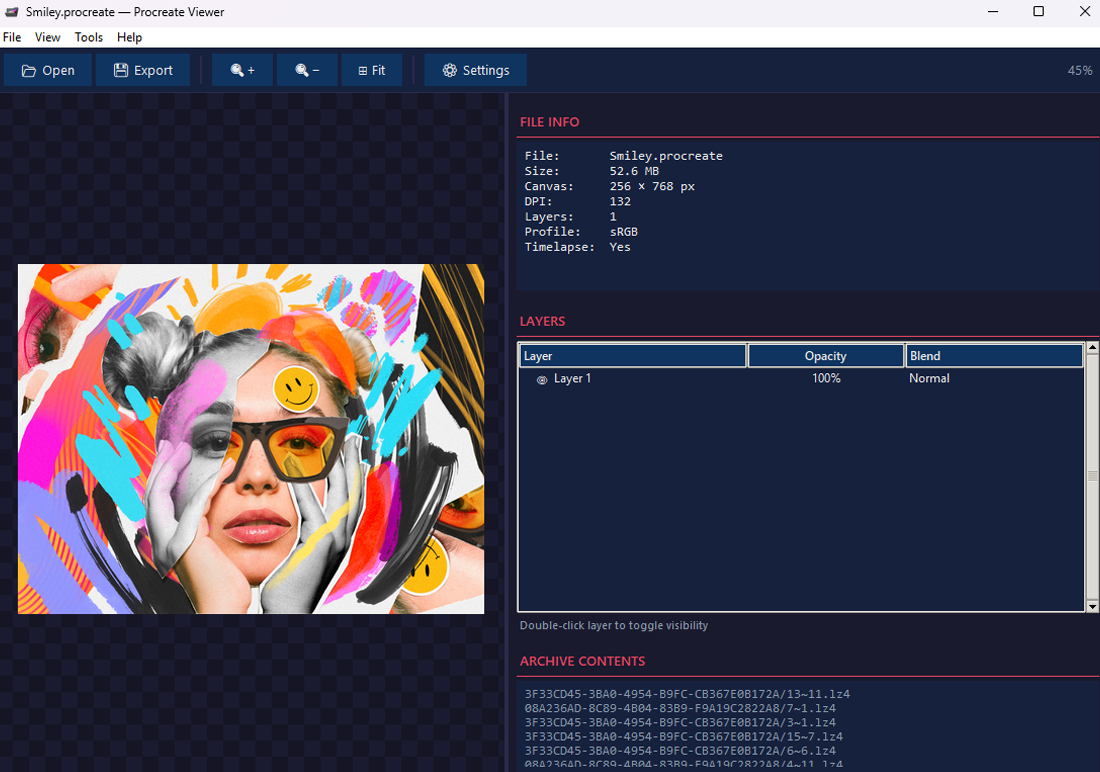
  • See canvas size, DPI, layer count, blend modes
  • Visually browse and manage hundreds of files
  • Batch convert entire folders to PNG/JPEG
Before & After

See the Difference Instantly

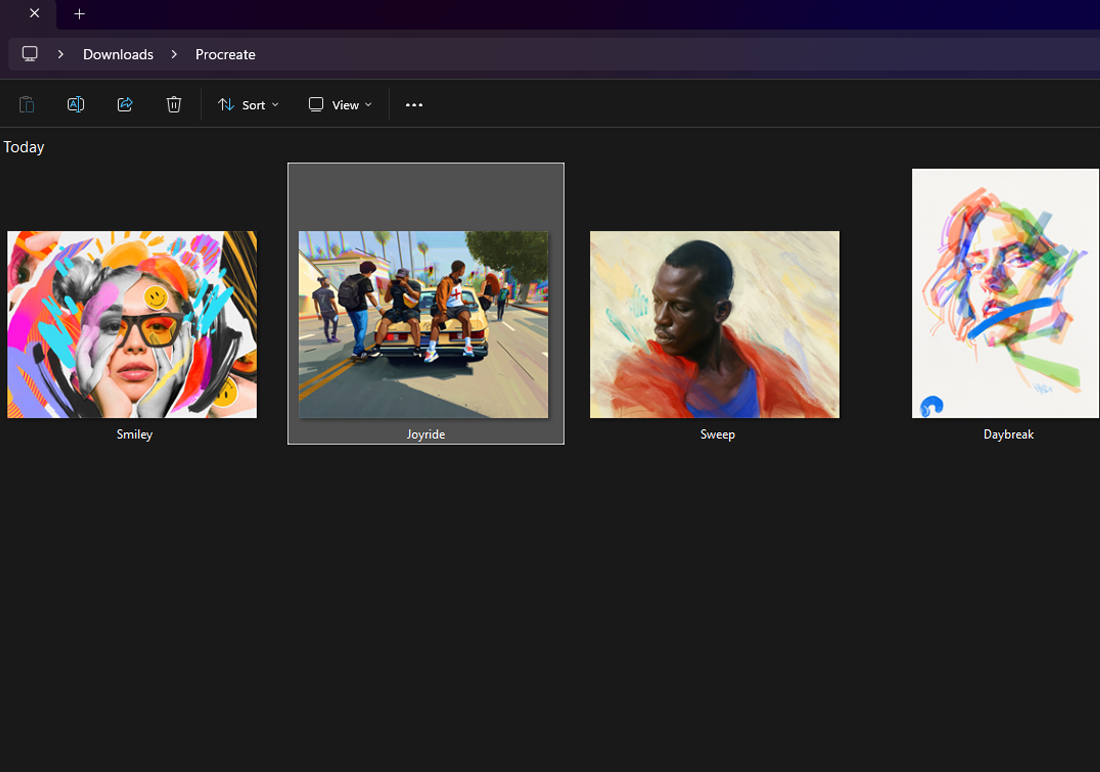
Drag the slider to compare your Windows File Explorer experience with and without ProcreateViewer installed. Your .procreate files go from blank icons to rich visual thumbnails.
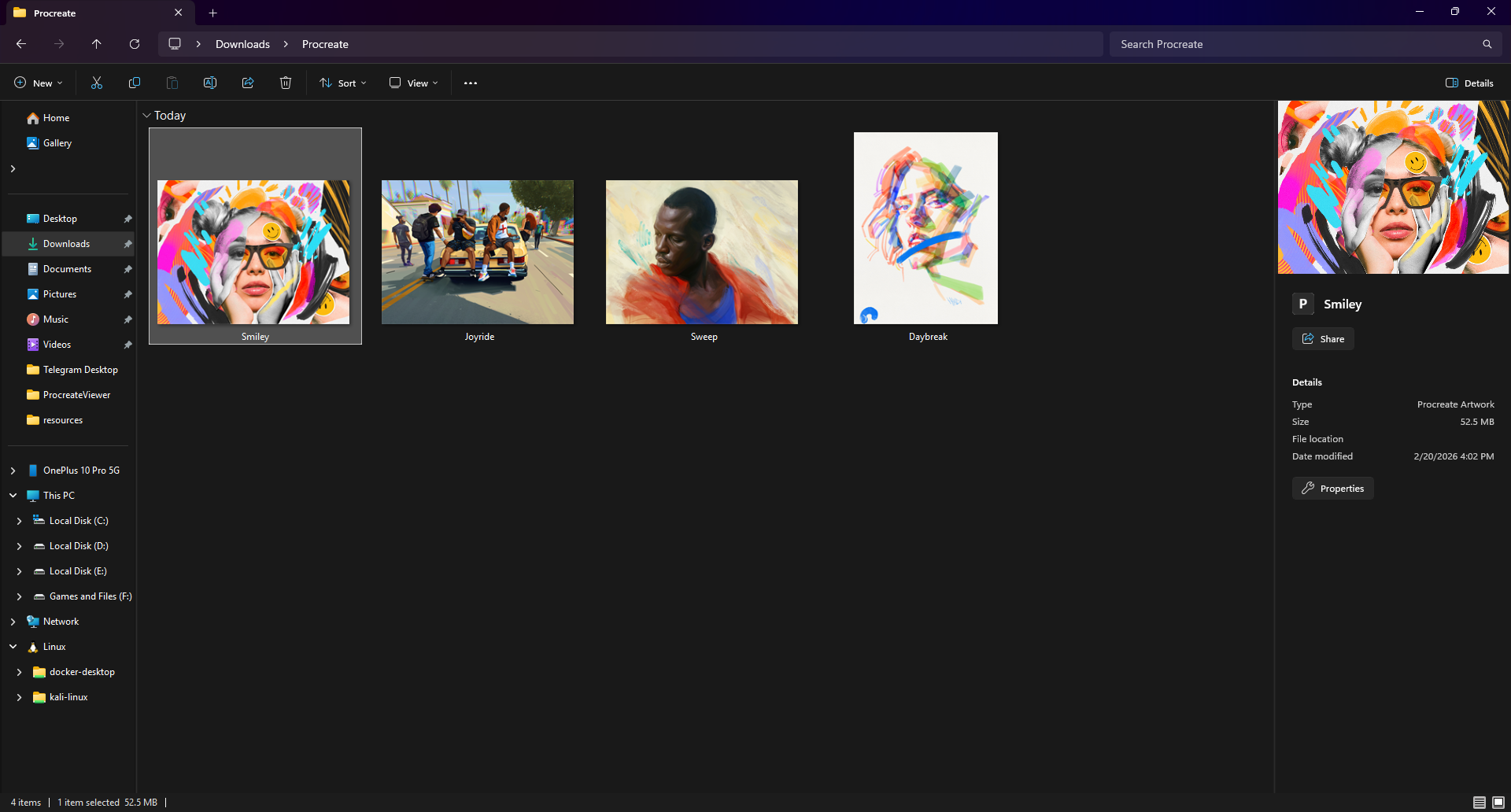
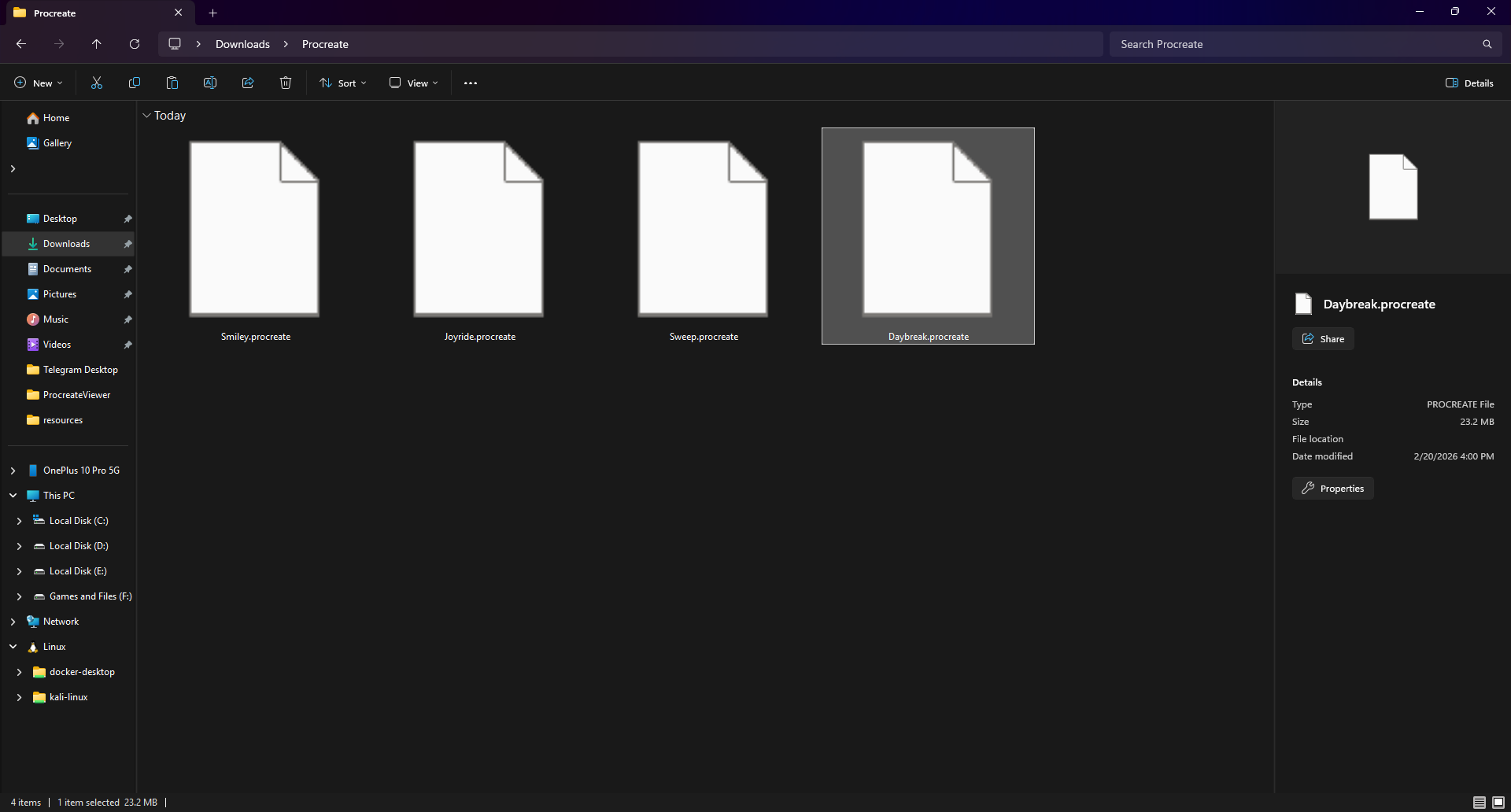
After ProcreateViewer Before ProcreateViewer
 Before
 After

Drag the slider to compare
Features

Everything You Need to Work with Procreate Files on Windows

A complete toolkit for viewing, inspecting, and converting Procreate artwork — all in one lightweight, offline application.

Native Explorer Thumbnails

See beautiful preview images for every .procreate file right inside Windows File Explorer — the same way you see JPEG or PNG thumbnails. Instantly identify your artwork at a glance.

  • All folder view modes (large icons, tiles, etc.)
  • Windows thumbnail caching for fast browsing
  • High-resolution previews up to 512px
  • Automatic — no manual steps after install

Full Artwork Viewer

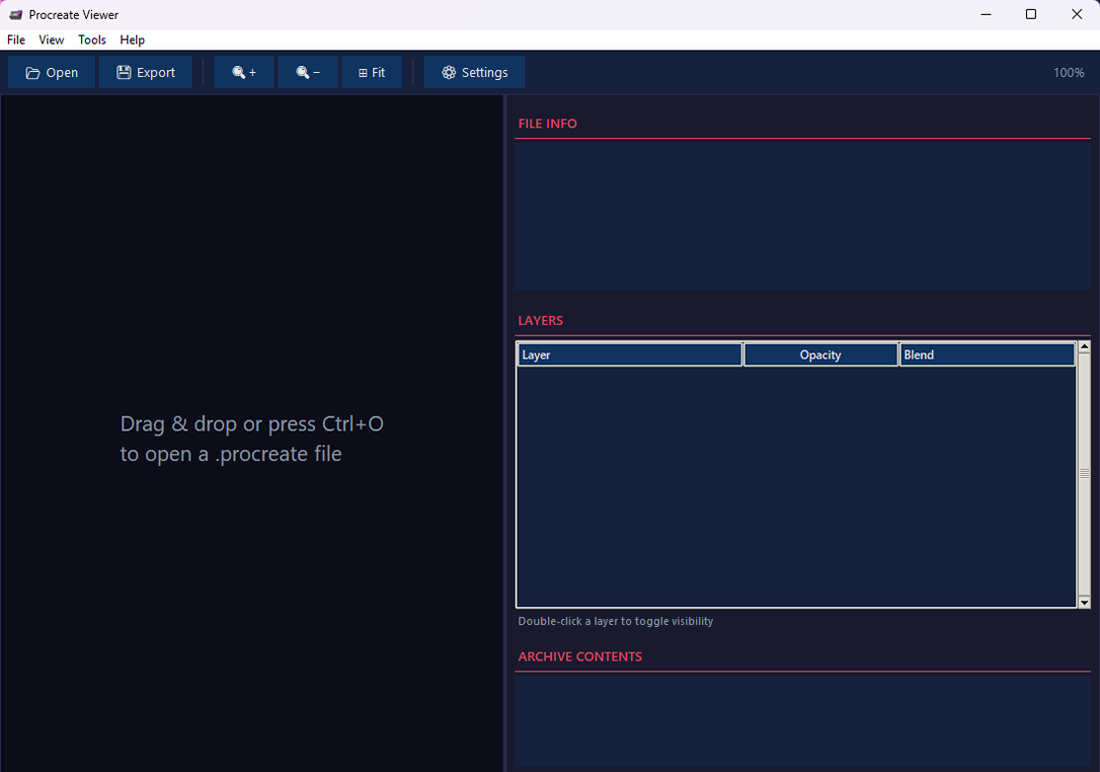
A dedicated desktop application with a dark theme UI inspired by Procreate itself. Open any .procreate file to see the full artwork with smooth zoom and pan controls.

  • Smooth zoom in/out with mouse wheel
  • Click and drag to pan around
  • Drag & drop files directly onto the window
  • Keyboard shortcuts for quick navigation

Layer Inspection & Compositing

View the full layer stack of every painting. See layer names, opacity, visibility, and all 24 Procreate blend modes. Toggle individual layers on or off and re-composite the image.

  • Layer tree with name, opacity, blend mode
  • Toggle visibility per layer
  • 24 blend modes (Multiply, Screen, etc.)
  • Full compositing engine with tile decoding

Multi-Format Export

Export your artwork to industry-standard formats. Get transparent PNGs for the web, high-quality JPEGs for sharing, TIFFs for professional printing, or BMPs for legacy workflows.

  • PNG with full alpha transparency
  • JPEG with adjustable quality setting
  • TIFF for print-ready output
  • BMP for maximum compatibility

Batch Folder Conversion

Need to convert your entire Procreate archive? Point the batch tool at a folder and convert every .procreate file to your chosen format in one click. Great for portfolio backups.

  • Select source and output folders
  • Progress bar for large batches
  • Original file names preserved
  • Skip already-converted files

Complete Metadata Display

See every technical detail embedded in your artwork: canvas dimensions in pixels, DPI/resolution, color profile, orientation, total file size, and whether timelapse recording was enabled.

  • Canvas width × height in pixels
  • DPI / resolution information
  • Color profile (sRGB, Display P3, etc.)
  • Human-readable file size
Screenshots

See It in Action

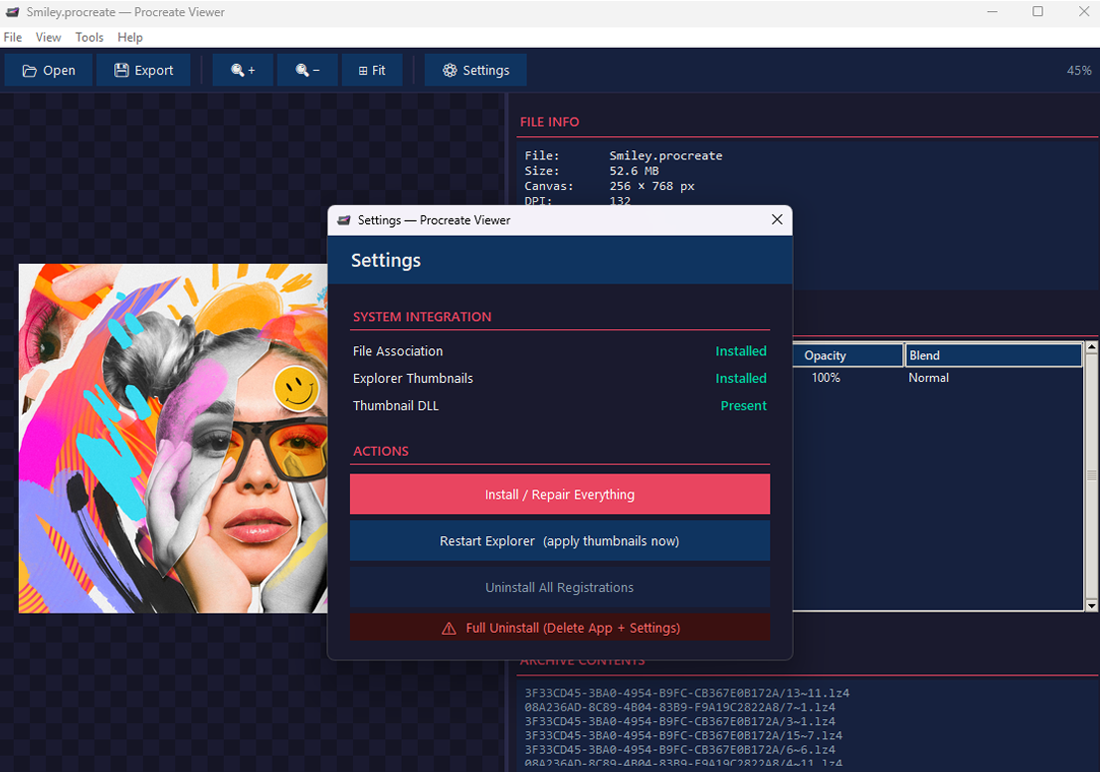
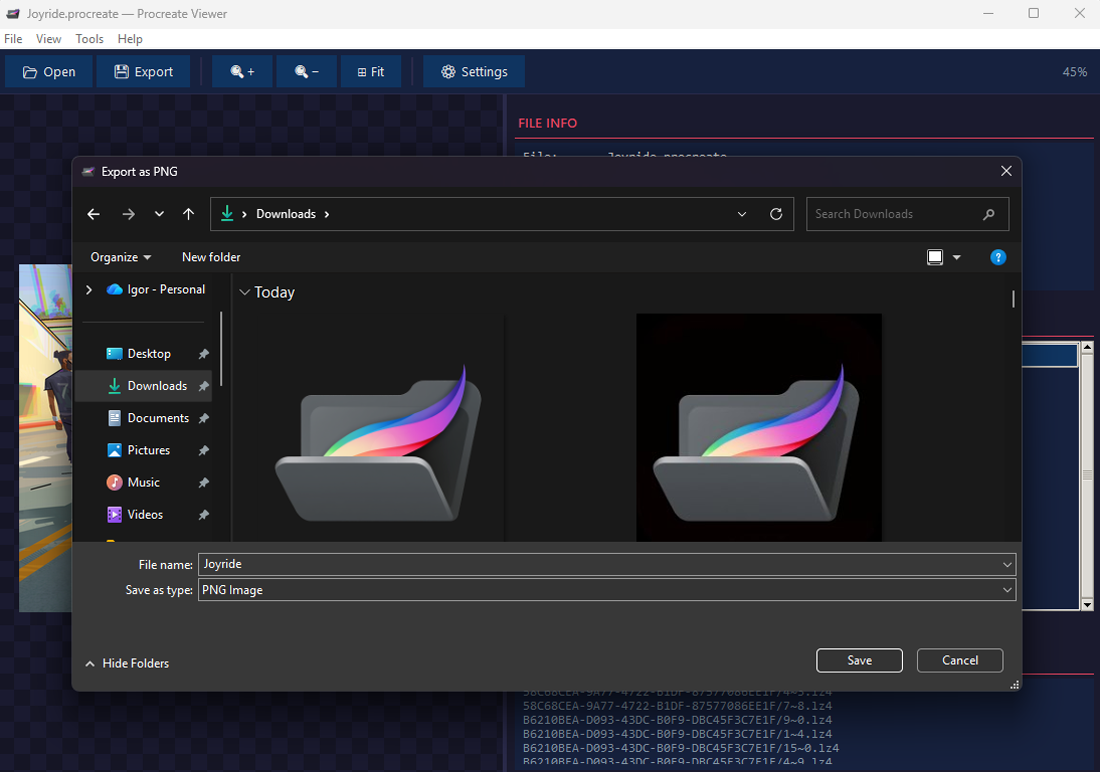
Take a closer look at ProcreateViewer's interface — from the full artwork viewer to the layer panel, metadata display, and batch export tools.

ProcreateViewer main interface
Main Viewer Interface
Layer inspection panel
Layer Inspection Panel
File Explorer thumbnails
Explorer Thumbnails
Metadata and file details
Metadata & File Details
Batch export tool
Batch Export Tool
Additional view
Full Artwork Export
Live Demo

Preview a File Right Now

We ported part of our Python parser to JavaScript. Drop a .procreate file into the panel and see its thumbnail instantly — everything happens in your browser. Nothing is uploaded.

  • 100% Private — Processed entirely in your browser. Zero server uploads.
  • Instant Preview — Extracts the QuickLook thumbnail from the ZIP archive.
  • File Metadata — Shows file size, estimated layer count and archive entries.
For full layer compositing, export, and detailed metadata — download the Windows app.

Drop a .procreate file here

or click to browse

Procreate artwork preview
Architecture

How It's Built

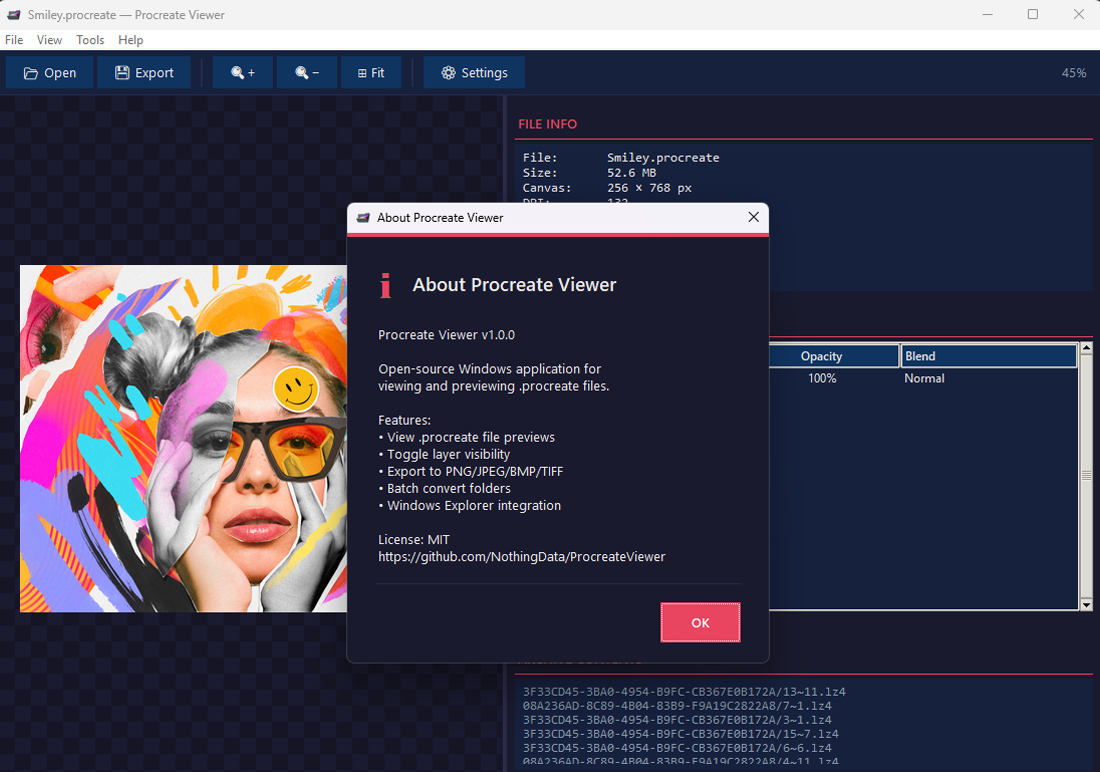
ProcreateViewer ships two components: a Windows Shell Extension (C#/.NET) that provides thumbnails, and a Python-based standalone viewer with a full layer compositing engine. Both are open source.

The .procreate Format

A .procreate file is a ZIP archive. Inside you'll find:

Path in ZIPContent
QuickLook/Thumbnail.pngArtwork preview image
Document.archiveNSKeyedArchiver binary plist
[UUID]/col~row.chunkLayer tile data (LZ4 / LZO)
video/segments/Timelapse recording data

Shell Extension (C# COM)

A .NET Framework 4 DLL registered via RegAsm. Implements Windows COM interfaces for Explorer thumbnails.

ComponentPurpose
IThumbnailProviderReturns HBITMAP to Explorer
IInitializeWithStreamReceives file stream from shell
Manual ZIP parserZero dependencies — reads ZIP headers directly
RegAsm registrationStandard COM registration flow

Viewer Application

Python + tkinter GUI packaged with PyInstaller into a single .exe. Core parsing example:

# Extract thumbnail from .procreate with zipfile.ZipFile(path) as z: with z.open("QuickLook/Thumbnail.png") as f: img = Image.open(io.BytesIO(f.read()))

Stack: Python 3.8+, Pillow, tkinter, PyInstaller, lz4

Layer Compositing Engine

Full tile-based renderer that decompresses layer chunks and composites them into a final image.

FeatureDetail
Tile decompressionLZ4, LZO, zlib, Apple bv41
Pixel formatBGRA → RGBA conversion
Alpha compositingPillow alpha_composite
OpacityPer-layer opacity scaling
Get Started

Three Ways to Install

Choose the method that suits you. All options give you the full application, thumbnail handler, and file association — completely free.

Setup Installer

Download and run the professional Setup wizard. It installs the viewer, registers thumbnails, and sets up file associations — all automatically.

Download Setup
  1. 1 Download ProcreateViewer_Setup.exe from Releases
  2. 2 Run the installer and follow the wizard
  3. 3 Choose components (thumbnails, file association)
  4. 4 Done — thumbnails appear in Explorer

Script Install

Prefer a script? Clone the repo (or download the ZIP), then right-click INSTALL.bat and run as administrator. That's it.

Clone Repository
  1. 1 Clone or download the repository
  2. 2 Right-click INSTALL.bat
  3. 3 Select "Run as administrator"
  4. 4 Restart Explorer or sign out / sign in

Build from Source

For developers. Clone the repository, install Python 3.8+, and run build.bat to compile everything from scratch.

View Source
  1. 1 Install Python 3.8+ and Git
  2. 2 git clone the repository
  3. 3 Run build.bat
  4. 4 Find binaries in the dist/ folder
Support

Frequently Asked Questions

Thumbnails aren't showing up

After installing, restart Windows Explorer. Open a command prompt and run taskkill /f /im explorer.exe then start explorer.exe. Make sure folder view is set to Large Icons or larger. If it still doesn't work, re-run INSTALL.bat as administrator.

Is ProcreateViewer safe?

Yes. The project is 100% open source (MIT License). Every line of code is auditable on GitHub. The application runs completely offline — zero telemetry, zero network calls, zero data collection of any kind.

Can I edit layers or draw?

ProcreateViewer is a viewer and exporter — not an editor. You can inspect every layer, toggle visibility, and export the result, but actual drawing and layer editing still requires Procreate on an iPad.

How do I uninstall?

If you used the Setup installer: open Settings → Apps → search "ProcreateViewer" → Uninstall. If you used the script: right-click UNINSTALL.bat → Run as administrator. Both methods fully clean up all registry entries.

Which Procreate versions work?

ProcreateViewer supports artwork from Procreate 4.x and 5.x (the ZIP + binary plist format). Files from Procreate Dreams or other Savage Interactive apps may not be compatible.

What are the system requirements?

Windows 10 or Windows 11 (x64). The exe is ~25 MB and fully standalone — no Python, no .NET SDK needed. Thumbnails require .NET Framework 4 which is pre-installed on every Windows 10/11 machine.

How accurate is the preview?

The thumbnail comes directly from Procreate's own generated preview (stored at QuickLook/Thumbnail.png inside the archive). The viewer's compositing engine also supports reading raw layer tiles for per-layer rendering.

Can I contribute?

Absolutely! The project is on GitHub. Open issues for bugs or feature requests, submit pull requests, or just star the repo to show support.

Start Viewing Your Procreate Art on Windows

Download ProcreateViewer — it's free, open source, and runs completely offline. No account required.